
IDEA缩短命令行配置
2025/7/30
IDEA 缩短命令行配置
问题
运行idea调试模式,报错:Error running ‘MallTest.testRun’: Command line is too long. Shorten command line for MallTest.testRun.
错误运行的测试。命令行太长。缩短命令行。
错误原因
出现这个的原因一般是因为项目需要打印的环境变量太长,超过了限制,需要你缩短命令行来解决问题。
解决办法
方式一
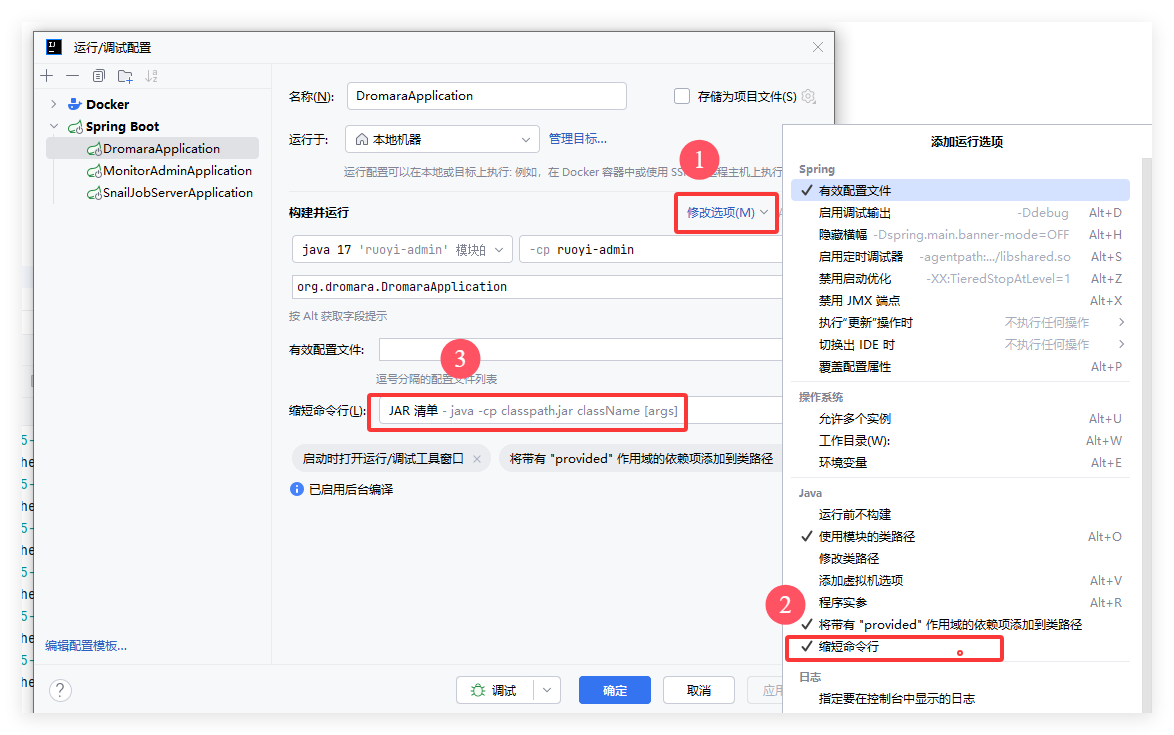
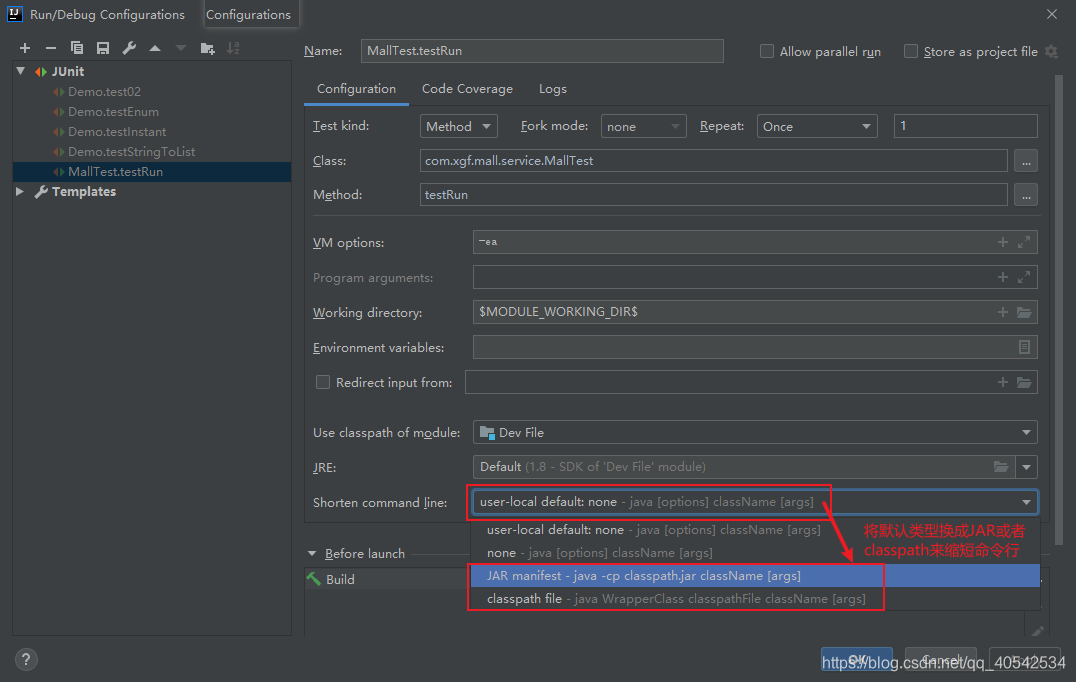
修改运行配置Configurations,
将默认的Shorten command line的值user-local default 改为 JAR mainifest 或者 classpath file
中文模式下,缩短命令行选项,选择JAR清单
这种办法每次需要对每个类单独设置。
方式二
在项目的.idea/workspace.xml文件中,找到
<component name="PropertiesComponent">,后面在添加一行<property name="dynamic.classpath" value="true" />
这种方式一次设置就行。